|
|
 ThorFortune Casino ThorFortune Casino |
|
|
Download ThorFortune APK v7.2.9 (7.0 MB) for Android. Full mobile lobby with 6,000+ slots, live casino, sports betting, bonuses and secure payments. Lightweight install from the official domain. |
|
|
Android (APK) |
|
|
7.0 MB |
|
|
7.2.9 |
|
|
2026-06-24 |
|
|
Install ThorFortune APK |
ThorFortune App: Android APK v7.2.9 Download and iOS PWA Installation Guide
Most casino players who want mobile access expect to find a listing on the App Store or Google Play. ThorFortune takes a different approach: the casino is accessible via a Progressive Web App that runs directly in a mobile browser and can be saved to the home screen, plus a dedicated Android APK available for direct download. Neither route involves an app store. That is either an advantage or an inconvenience depending on your device setup and how you prefer to manage apps.
This page covers both access methods in practical terms. The APK (version 7.2.9, 7.0 MB) downloads from the official casino domain and installs as a standalone application on Android. The PWA installs in seconds from any browser on iOS or Android, without modifying device settings. Both open the same full ThorFortune lobby - slots, live casino, crash games, sports betting - and work with existing accounts. The difference between them is primarily convenience of installation and how the app icon behaves on your home screen.
A note on what this page does not cover: game selection, bonus conditions, and payment methods are addressed in their own dedicated sections. This page focuses on the mobile access experience - installation, performance, features, and practical limits.
ThorFortune App Technical Specifications
| Parameter | Value |
|---|---|
| App type | PWA (Progressive Web App) + Android APK |
| APK version | 7.2.9 |
| APK file size | 7.0 MB |
| APK source URL | thor-fortune-casino.org |
| APK build tool | Android Gradle Plugin 8.13.0 |
| APK signing | APK Signing Block (verified) |
| iOS installation method | Safari Share Sheet - Add to Home Screen (no App Store listing) |
| Android PWA method | Chrome - Add to Home Screen (no Google Play listing) |
| Android APK method | Direct download from official domain; requires sideload permission |
| Game access | Full lobby: slots, live casino, crash games, table games, sports betting |
| Push notifications | Optional; device prompts during setup |
| Account login | Existing credentials or new registration within the app interface |
| Minimum OS (PWA) | Any modern iOS or Android with a current browser |
ThorFortune Casino App: PWA, APK or Native - What Is the Difference?
ThorFortune offers two mobile formats but no native app through the major app stores. Understanding what separates a PWA from an APK - and from a native app - matters when deciding which installation path to take.
A native app is compiled specifically for an operating system, distributed through the App Store or Google Play, and installed with full device-level permissions. ThorFortune does not have a native listing on either platform. A Progressive Web App is a website engineered to behave like a native app: it can be added to the home screen, opens full-screen without browser navigation bars, and caches content locally for faster loading. An APK is an Android installation package that functions like a native app but is distributed outside the Play Store, requiring the device to allow installs from non-store sources.
For players on iOS, the PWA via Safari is the only available installation route. For Android players, both the PWA via Chrome and the direct APK are options - the APK route produces a more self-contained app-like experience, while the PWA updates automatically since it draws from the live website.
What Is ThorFortune PWA and How Does It Work on Mobile?
A Progressive Web App uses the browser's rendering engine to display a full casino interface within a frame that removes the navigation bar and address field, producing an experience visually close to a native app. The ThorFortune PWA caches core assets locally - icons, layout components, and game thumbnails - which improves load speed on repeat visits. Game content itself streams from ThorFortune's servers on each session, so a stable connection remains necessary regardless of what is cached.
The PWA updates silently in the background: when ThorFortune updates its platform, the changes appear in the PWA on next launch without requiring any action from the player. This is a meaningful difference from the APK, which is a fixed version (7.2.9) that will not update unless the player manually downloads and installs a newer release.
ThorFortune PWA vs Android APK: Which Should You Choose?
The PWA suits players who want frictionless installation - it requires no permission changes, no file download, and works on any device with a supported browser. It also stays current automatically. The APK suits players who prefer a fully self-contained application that does not depend on browser sessions and produces a slightly more isolated app experience. The functional differences in actual casino use are minor: both access the same lobby, the same account, and the same payment system.
One practical consideration: the APK at version 7.2.9 is a fixed build. If ThorFortune releases a significant platform update, the APK may eventually lag behind the live site in minor UI respects. For players who use the casino regularly, checking whether a newer APK version has been released periodically is worth the few minutes it takes.
Where to Download ThorFortune APK v7.2.9 and How to Install It on Android?
The official ThorFortune APK - version 7.2.9, 7.0 MB, built with Android Gradle Plugin 8.13.0 - is available for direct download from thor-fortune-casino.org. No Google Play listing exists. Downloading from any other source introduces the risk of a modified or repackaged file, and should be avoided.
The installation process requires one device permission change before the file can open: Android blocks installations from sources outside the Play Store by default, and that restriction must be lifted specifically for the browser used to download the file. On most Android versions, this appears as a one-time prompt triggered by the download itself. The permission applies only to that browser, not system-wide - it does not expose the device to unrestricted sideloading from all sources.
At 7.0 MB, the ThorFortune APK is roughly one-tenth the size of most comparable casino apps. The small footprint is consistent with what you would expect from an APK that functions primarily as a lightweight wrapper around a web-based casino, rather than a locally-installed game client with bundled assets. Game content, live streams, and lobby data all load from ThorFortune's servers, which is why the installed file itself is small.
Where to Download the Official ThorFortune APK File Safely
Navigate to the ThorFortune official site at thor-fortune-casino.org on your Android device. The APK download link appears in the mobile app promotion section of the site, typically visible from the main lobby navigation or the promotions area. Clicking the download link initiates the file transfer through the browser. Once downloaded, the file (thor-fortune-casino_org_7_2_9.apk) appears in the browser's download manager or the device's Downloads folder.
Third-party APK hosting sites that mirror casino apps carry no official endorsement from ThorFortune and may serve outdated or tampered versions of the file. The only verified source is the official ThorFortune domain.
How to Install ThorFortune APK on Your Android Phone
- Download the APK from thor-fortune-casino.org using Chrome or another browser on your Android device. The file is 7.0 MB and transfers quickly on any connection faster than 3G.
- When the download completes, tap the notification or navigate to your Downloads folder and tap the APK file. If Android asks for permission to install from this source, tap Settings on the prompt and enable the permission for your current browser - this is a one-time action.
- An installation screen appears showing the app name and basic permissions. Review it and tap Install. The process completes in a few seconds.
- Once installed, find the ThorFortune icon in your app drawer or home screen. Tap it to launch the casino interface, then log in with your existing credentials or proceed through registration if you do not yet have an account.
Is the ThorFortune APK Safe to Install? Security Check
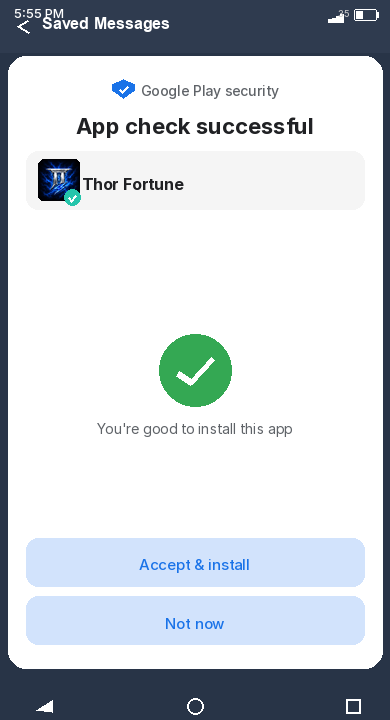
The ThorFortune APK downloaded from the official domain carries an APK Signing Block, which is the standard signing mechanism used to verify that the file has not been altered between build and installation. An APK Signing Block means the package was signed by its publisher with a private key that cannot be replicated - if the file had been modified after signing, the signature would be invalid and Android would refuse to install it.
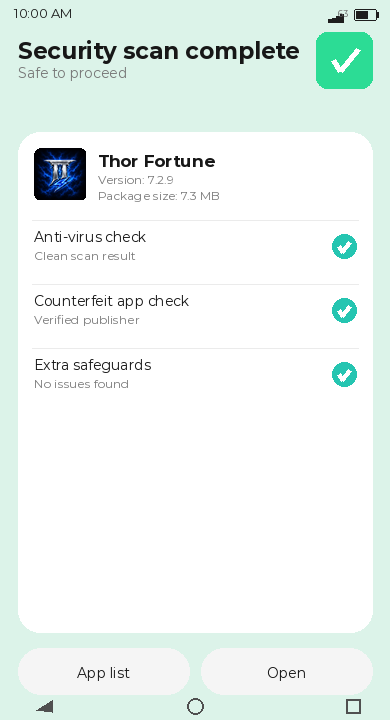
What this does not guarantee: it confirms the file is unmodified from its build, but it does not independently certify the casino's own software practices. Players who want additional assurance can run the APK through a reputable mobile security scanner before installation. As with any mobile app, granting only the permissions the app actually requests - and being wary of any installation that asks for permissions unrelated to casino functions - is sound practice.
ThorFortune iOS App: Adding the Casino to Your iPhone Home Screen
iPhone and iPad users access ThorFortune through a Safari-based Progressive Web App. The installation takes under a minute and requires no App Store account, no download to the Files app, and no device restriction changes. The result is a home screen icon that opens the ThorFortune casino in full-screen mode, indistinguishable in visual terms from a native app launch.
The casino experience on iOS through the PWA covers the full lobby - the same slots, live casino tables, crash games, and sports betting available on desktop, rendered for a portrait or landscape mobile interface. Log in or register via the mobile app using the same process as the desktop site; the registration form and account login work identically in the PWA.
How to Add ThorFortune to Your iPhone Home Screen via Safari
- Open Safari on your iPhone or iPad and navigate to the ThorFortune official site. Wait for the mobile version to fully load - the lobby, navigation tabs, and game thumbnails should all be visible before proceeding.
- Tap the Share Sheet icon at the bottom of the Safari window. It looks like a box with an upward-pointing arrow. If the bar is hidden, scroll up slightly to make it appear.
- Scroll through the Share Sheet options and tap Add to Home Screen. This option typically appears in the second row of actions. A naming screen appears showing the suggested icon title.
- Edit the name if you prefer a shorter label on your home screen, then tap Add in the top-right corner. The ThorFortune icon appears immediately on your home screen.
Tapping the icon from this point opens the ThorFortune casino directly in full-screen Safari, without an address bar or navigation controls. The experience is functionally equivalent to a native app for all casino functions including deposits, game play, and live casino streaming.
ThorFortune on iPad: Installation Steps and Gameplay Tips
The iPad installation process follows the same Safari Share Sheet sequence as iPhone. The iPad's larger screen gives the ThorFortune mobile interface more room to work with - slot game grids display with larger thumbnails, live casino streams benefit from the additional screen real estate, and the lobby navigation is easier to use without zooming. Landscape orientation on the iPad produces an interface proportionally closer to the desktop layout than the portrait mobile view does.
For live casino in particular, iPad streaming over WiFi delivers a noticeably better experience than smartphone cellular connections. HD video from Evolution Gaming studios holds quality better at larger sizes, and the iPad's processing headroom means fewer frame drops during busy periods at multi-player tables.
What Games Can You Play on ThorFortune Mobile Casino?
ThorFortune's mobile interface provides access to the full casino lobby without category restrictions. Every game category available on desktop - slots, live dealer tables, crash games, digital table games, progressive jackpots, and sports betting - loads in the mobile PWA or APK.
Is the ThorFortune mobile casino suitable as a primary gaming device? For most casino use cases, yes. Slots, digital table games, crash games, and sports betting all run well on current-generation mobile hardware. Live casino streaming is the exception that has conditions attached: HD video over a cellular connection can produce quality issues on slower networks or in areas with poor signal. For regular live casino use, WiFi is preferable. If live casino on mobile is a priority, testing the streaming quality on your device and network before committing significant deposits is the sensible approach.
Does ThorFortune Mobile Give Access to All Casino Games and Bonuses?
The mobile interface does not restrict access to game categories or promotional features. The full bonus hub, active promotions, tournament leaderboards, and the cashier - for both deposits and withdrawals - are accessible from the mobile interface. Players can claim welcome bonus stages, enter the Rookie Rumble tournament, and manage their account limits entirely from a smartphone without needing desktop access at any point.
The one area where mobile has practical rather than access limits is live casino streaming. Games load and function correctly, but streaming video on smaller screens at cellular data speeds sometimes produces compression artifacts that would not appear on a desktop broadband connection. The gameplay mechanics are identical; the visual quality depends on connection speed.
Live Casino and Crash Games on ThorFortune Mobile: Performance Overview
Live casino games at ThorFortune - including Crazy Time, Lightning Roulette, and the standard roulette and blackjack tables - stream at a quality that adapts to available bandwidth. On WiFi or a strong 4G/5G connection, streams at full resolution are smooth. Crash games including Aviator and ThorFortune Originals are lower-bandwidth than live streaming and run well on any connection adequate for the casino lobby itself. The Aviator multiplier graph updates in real time regardless of network speed within a functional range, and the cashout response is not materially slower on mobile than desktop.
ThorFortune App Specifications and Feature Overview
The summary table at the top of this page covers the core technical specifications. A few features are worth expanding on for practical setup purposes: push notifications, app speed across device generations, and what the mobile interface does and does not inherit from the desktop version.
Push notifications in ThorFortune's mobile setup are optional and prompted once during installation. Accepting them allows ThorFortune to send alerts about new tournaments, deposit bonus reminders, and promotional code distributions. For players who actively track the Rookie Rumble and want to know when reload codes are available, accepting notifications adds value. For players who prefer not to receive casino prompts on their phone's lock screen, declining does not affect any casino function.
How to Enable ThorFortune Push Notifications for Bonus and Tournament Alerts
During PWA installation on Android, Chrome typically displays a permission request for notifications either immediately after the home screen shortcut is created or on first launch. Tapping Allow activates casino push alerts. On iOS, Safari PWAs gained push notification support in iOS 16.4 - if your iPhone is running a version below that, notification prompts will not appear, but all other functionality works normally.
To enable notifications after installation if you initially declined: on Android, open Chrome settings, go to Site Settings, find Notifications, locate ThorFortune in the list, and change the permission to Allow. On iOS 16.4 and above, go to Settings, Safari, Advanced, Website Data, and adjust notification permissions for the ThorFortune domain.
ThorFortune App Speed and Stability on Different Mobile Devices
The ThorFortune PWA and APK both function as shells that load content from the casino's servers rather than running locally installed game engines. Performance therefore depends on two factors: the device's browser rendering speed, and the network connection quality. On devices released in the past three to four years, the lobby loads quickly and slot games launch with a short buffering pause. On older devices with 2 GB RAM or less, the live casino section - which renders video alongside the betting interface - may produce occasional stuttering or delayed load times.
Battery consumption is comparable to other streaming-heavy apps: the live casino in particular keeps the screen active and processes video continuously, which drains battery faster than standard slot play. For long sessions, a plugged-in or high-battery state is advisable. The PWA does not run background processes when closed, so it does not consume battery when not in active use.
How to Get the Maximum From ThorFortune Mobile Casino
The ThorFortune mobile interface covers everything needed to use the casino without desktop access at any point. Getting the most from it involves a few setup decisions that are easy to overlook on first installation.
Choosing between the PWA and APK before committing to one affects the update cycle: the PWA always reflects the current platform, while the APK stays at version 7.2.9 until manually updated. For players who value stability and want a fixed, familiar interface, the APK suits that preference. For players who want any platform improvements to appear automatically, the PWA is the better choice.
Notification permissions, once set during installation, determine whether promotional codes and tournament alerts reach the device's lock screen. For players who engage actively with the Rookie Rumble and Sunday Reload promotions, enabled notifications mean codes like RELDAY appear without needing to check the promotions page manually.
Claiming ThorFortune Bonuses and Free Spins Through the Mobile Interface
The full bonus claiming process works identically on mobile and desktop. The promotions hub is accessible from the Bonuses tab in the mobile navigation bar, where active offers show current amounts, promo codes, and information icons with full terms. Depositing and entering a promo code to trigger a bonus - such as 50HIGH for the highroller offer or RELDAY on Sundays - uses the same cashier flow on mobile as on desktop. The code entry field in the mobile cashier appears before deposit confirmation, in the same position as on desktop. Bonus and Free Spins credits post to the account immediately after deposit confirmation without any additional step.
Making Deposits and Withdrawals via the ThorFortune Mobile App
The cashier within the mobile interface supports the full payment method range - Visa, Mastercard, Skrill, Neteller, BLIK (PLN accounts), cryptocurrencies, and bank transfers. Method selection, amount entry, and transaction confirmation all work through the same touchscreen interface. Withdrawals request the same way: navigate to the cashier, select the withdrawal tab, choose the method, enter the amount, and confirm. The mobile interface does not restrict withdrawal amounts or methods relative to desktop - account-level limits of EUR 1,000 per day apply across both access types combined. For accounts where KYC verification has already been completed on desktop, mobile withdrawals process without additional document requests.
Where ThorFortune Mobile Reaches Its Limits
The mobile experience covers the core use cases well. Where it falls short is in situations requiring features that are inherently desktop-oriented or that depend on connection quality outside the player's control.
Live casino streaming on cellular connections is the most common friction point. ThorFortune's HD streams from Evolution Gaming studios are optimised for broadband, and a 4G connection that is adequate for social media can still produce variable quality on a fast-paced live roulette or Crazy Time session. This is not a ThorFortune-specific issue - it applies to any live casino product on any mobile platform - but it is worth knowing before planning extended live casino sessions from a mobile connection.
The APK's fixed version number (7.2.9) means that future ThorFortune platform updates will not automatically reach APK users. Minor UI changes or new lobby features may not appear until a new APK is released and manually installed. For players who prefer staying current without manual updates, the PWA's automatic-refresh model is more suitable. For players who value consistency over currency, the APK's fixed state is a feature rather than a limitation.
Finally, the absence of App Store or Google Play distribution means ThorFortune cannot benefit from automated security updates through those platforms' developer policies, and players cannot verify the app through the store's review process. The APK Signing Block addresses integrity, but the broader absence of store distribution is a structural trade-off that players choosing the APK route should be aware of.
The Mobile Setup, Summarised
Setting up ThorFortune on mobile takes under two minutes regardless of which route you choose. iOS players go through Safari's Share Sheet once and are done. Android players choose between that same browser-shortcut approach or a 7.0 MB APK download that requires one permission change. Both produce a home screen icon that launches the full casino lobby in full-screen mode.
The mobile experience itself holds up for regular casino use - slots, crash games, sports betting, and the bonuses interface all work without compromise. Live casino streaming performs best on WiFi or strong 4G. If mobile is going to be your primary access method, the PWA is the path of least maintenance friction; if you prefer a standalone installation that does not change between visits, the APK serves that preference. Either way, the ThorFortune Casino platform is the same behind both doors.